
Share your charger
Ever wanted to have your partner, housemate or somebody to have access to your charger?
Overview
You can invite other people to access your charger through the Evnex app. Once invited, they'll receive an email to activate their account and gain access to your charger.
Steps to Invite a User
Step 1: Open Access
From the Home Charger screen, tap Access
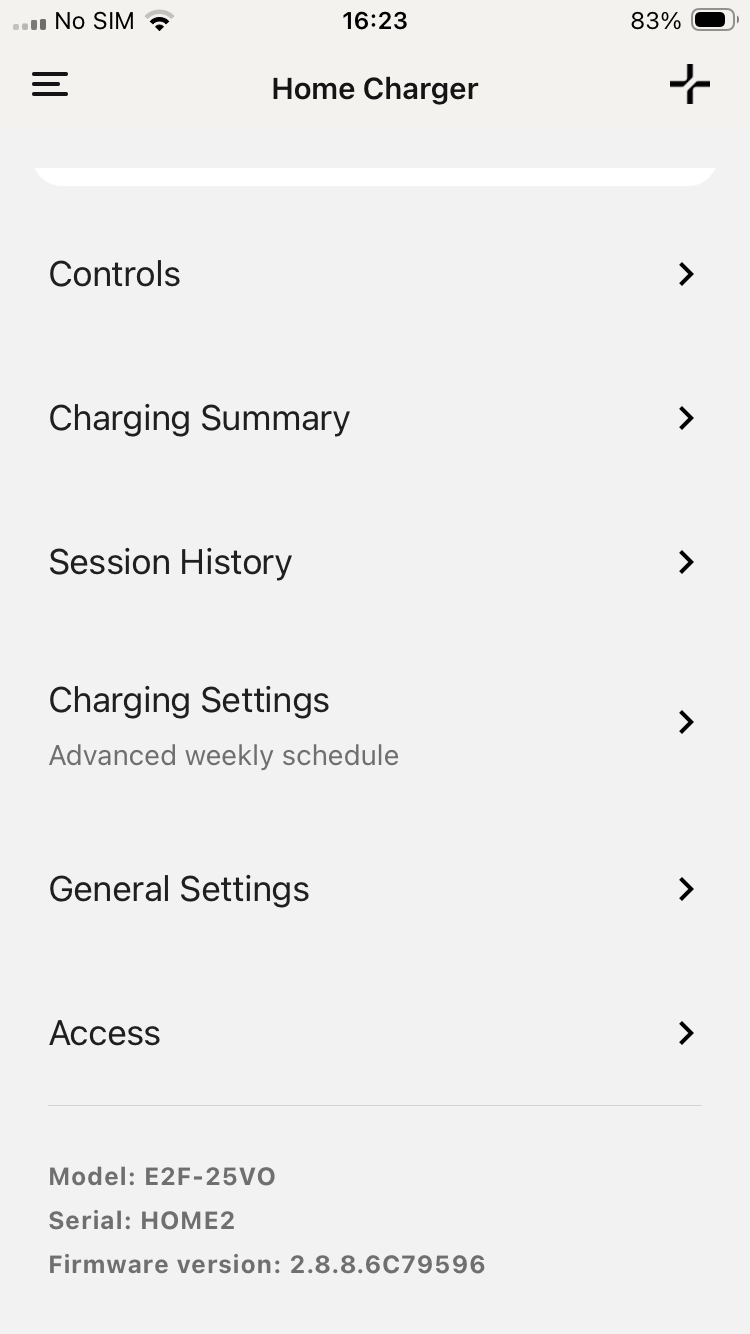
Home charger screen with Access menu item
Step 2: Invitation
On the Manage Users screen, tap the Invite user button.
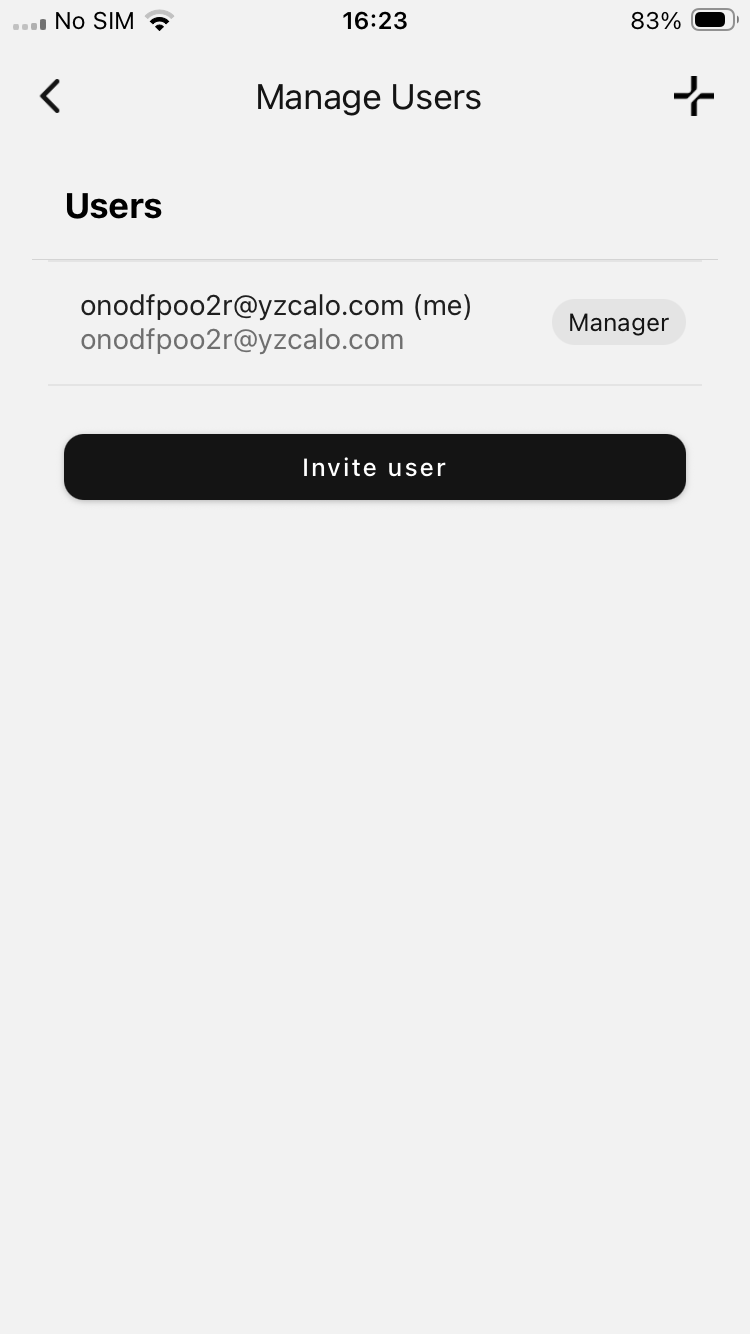
Manage users screen with Invite user button
Step 3: Enter User Information
On the Invite user screen, you'll need to provide:
-
Name - Enter the person's full name
-
Email - Enter their email address
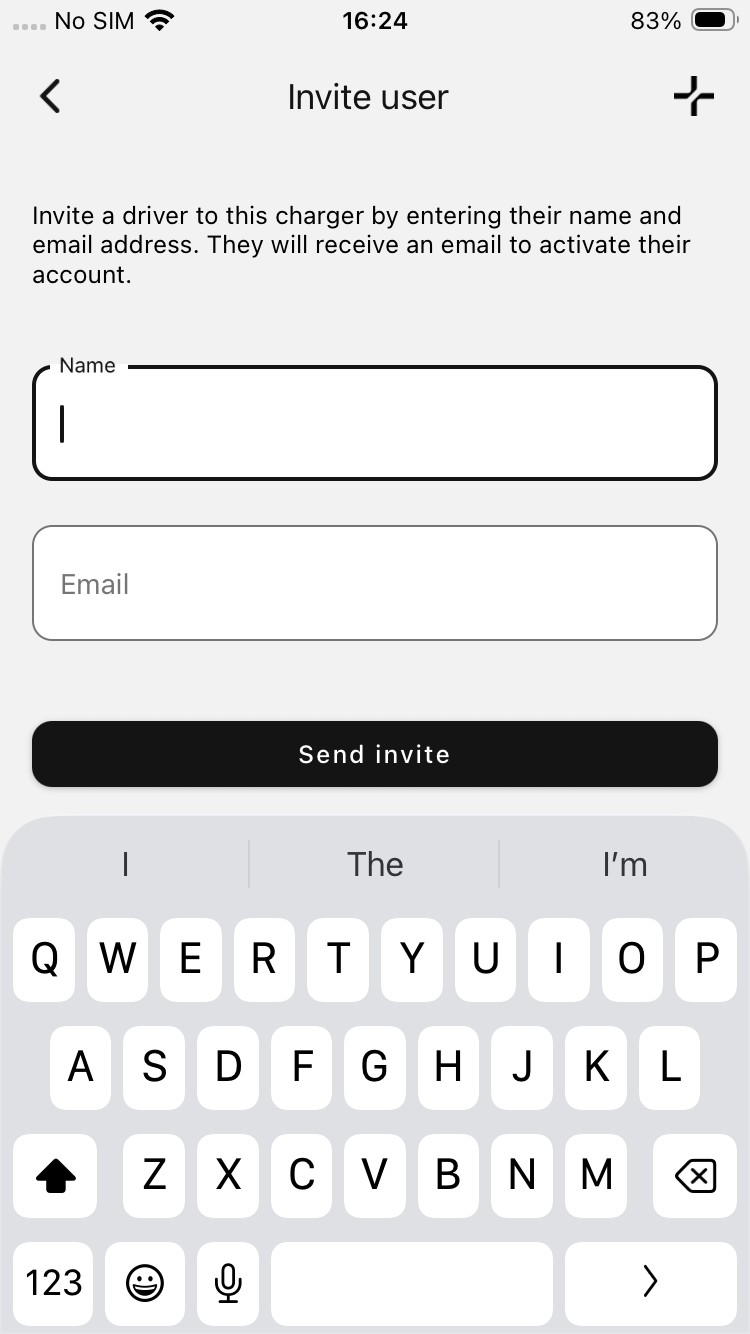
Invite user screen
Step 4: Send the Invitation
Tap the Send invite button to send the invitation.
What Happens Next
The invited user will receive an email inviting them to access your charger. They will need to download the Evnex app and tap "I'm setting up a new charger".
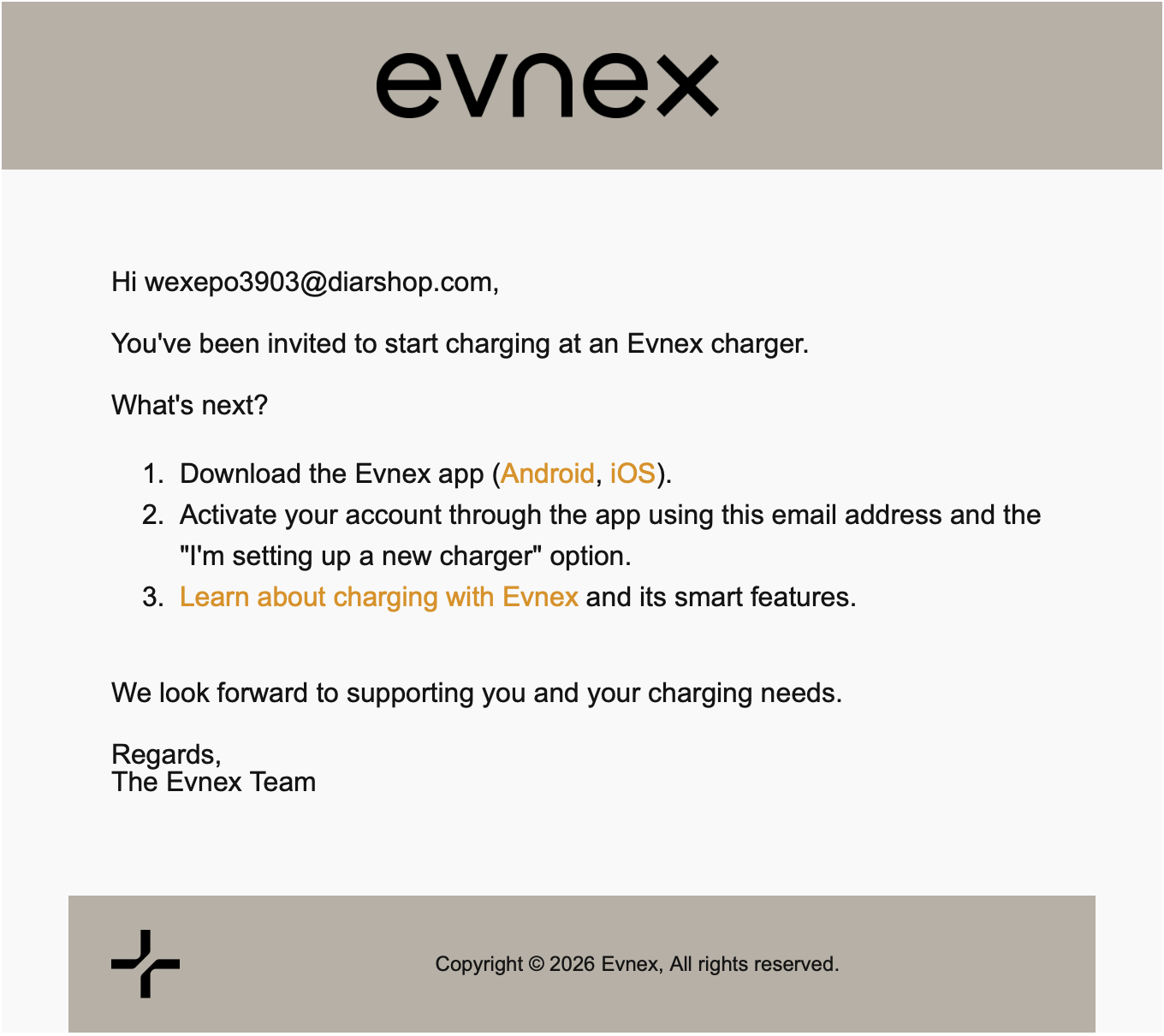
Invitation email that the new user will get sent
Updated 3 months ago