
Vehicle Entering Sleep Mode
Keep Awake
Some vehicles are designed to enter sleep mode after a period of inactivity or when the key fob is no longer detected nearby. When this happens, the vehicle may stop communicating with the charger, which can prevent scheduled charging sessions from starting as expected or cause charging to stop unexpectedly.
To help address this, we've developed a feature called Keep Awake. This feature periodically sends a small signal to the vehicle to help maintain communication between the vehicle and the charger, reducing the likelihood of the vehicle entering a deep sleep state. By keeping the vehicle responsive, scheduled charging sessions are more likely to start and operate correctly.
Enabling Keep Awake in the Evnex App
- Open the Evnex App.
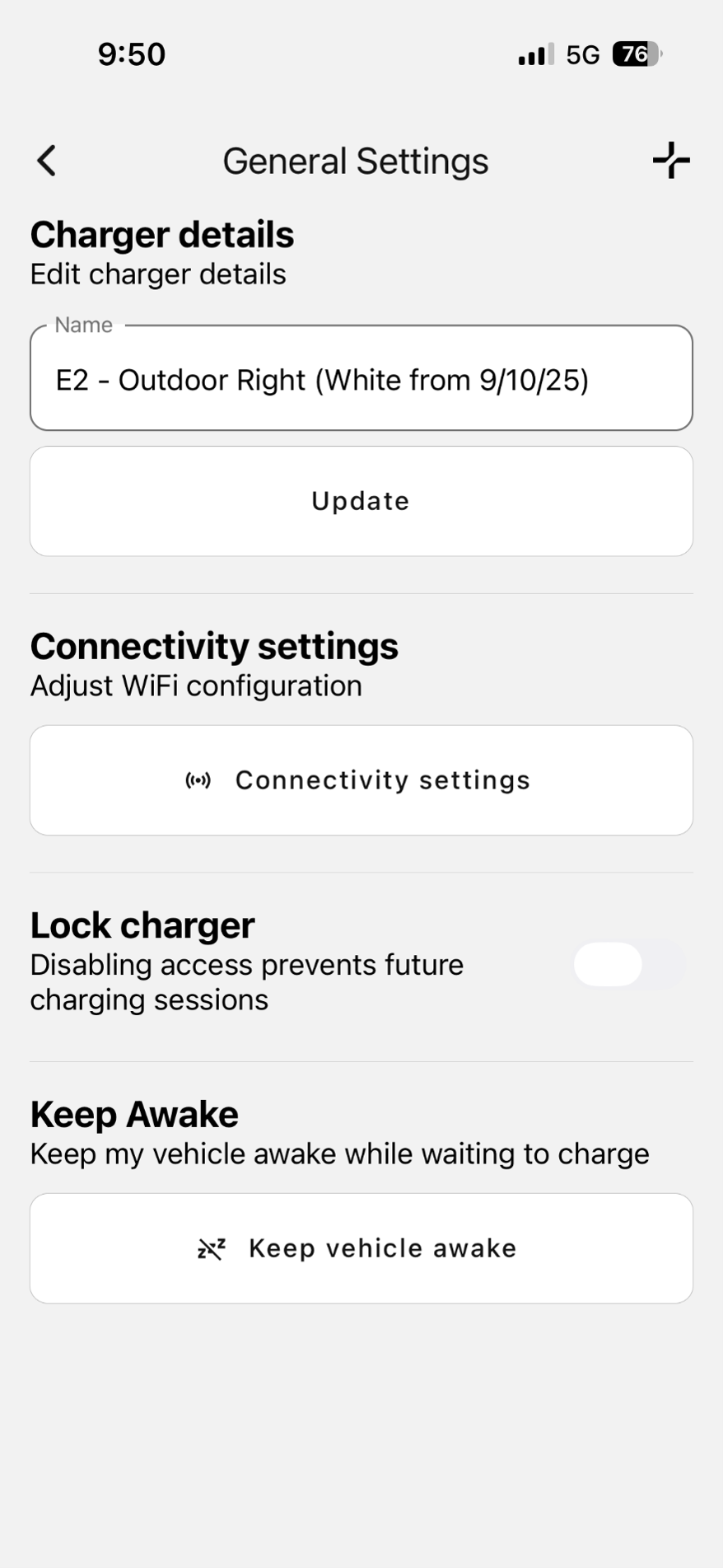
- Navigate to General Settings.
- Scroll down to the Keep Awake section.
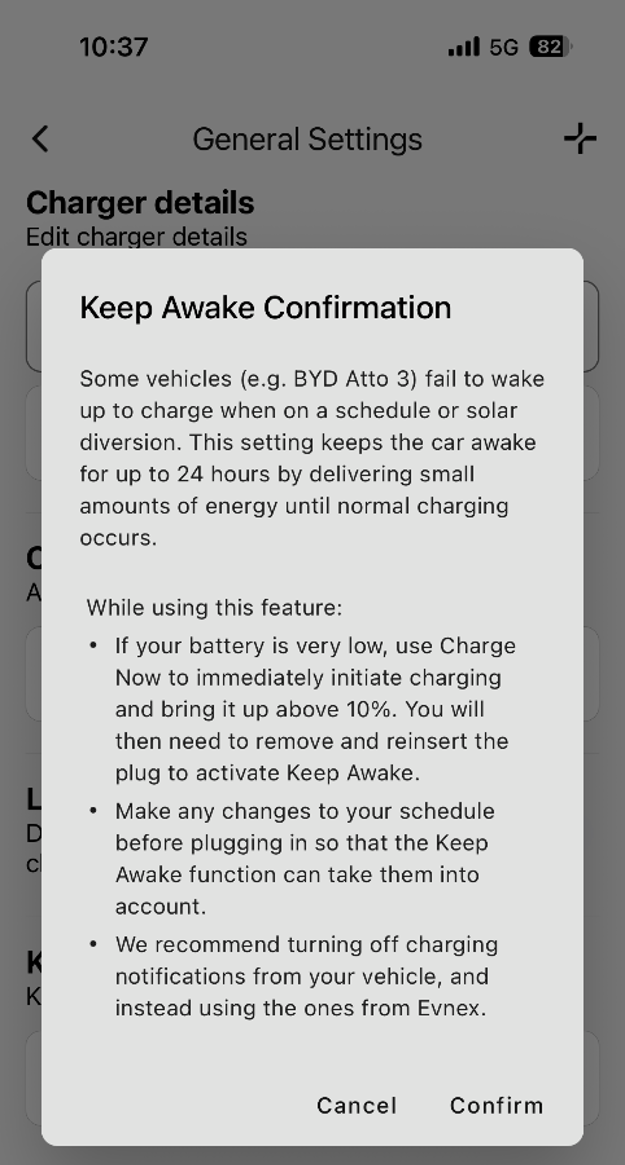
- Enable Keep Vehicle Awake (as shown in the screenshot).
- Tap Confirm to save the change.
- Keep Awake is now enabled.
Important Information
Please note that Keep Awake may not resolve sleep mode issues for every vehicle immediately. Vehicle behaviour can vary between manufacturers and models, and in some cases additional charger setting adjustments may be required to optimise compatibility.
If you find that Keep Awake does not successfully prevent your vehicle from entering sleep mode, please contact our support team. We'll be happy to investigate further and make any necessary adjustments to help improve charging reliability for your vehicle.
Updated 11 days ago